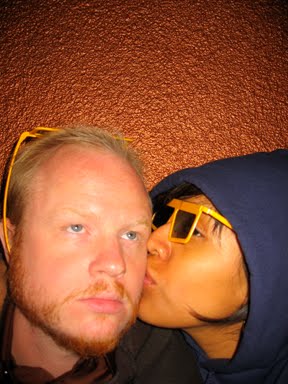
"Nate-dog, the title of your blog is weird. What does it mean?"
Well, I'm glad you asked...It's an allusion to "bog mummies," of course. Bog mummies are preserved human remains found in swampy marshes mostly in the U.K., Ireland, and other parts of northern Europe. It's just like that sequence in Lord of the Rings: The Two Towers when Gollum, Sam, and Frodo are trudging through the Dead Marshes. They see the bodies of soldiers long dead, well-preserved just below the surface of the water. It seems that certain bogs have a particular pH level and mineral content perfect for the preservation of organic matter. It's kind of like natural formaldehyde.
Similarly, my blog is a place for random thoughts and rants to fall out of my head and be preserved electronically by the good folks at blogger.com. Perhaps, many years in the future, some web-surfers will stumble upon my blogs with their 10th generation iPads and stop for a moment to learn what life was like in early 21st century L.A.
Since many of the posts deal specifically with life in the Los Angeles area or the entertainment industry, I thought it appropriate to include the word "Hollywoodland."
Did you know the "Hollywood" sign used to say "Hollywoodland"? Yeah. Then like the last four letters fell over in an earthquake or some gang tagged them all with graffiti or some rich fool tried to build a house there or some such calamity befell them...and they just left it "Hollywood" after that. "Hollywoodland" sounds more...mythical...a good place for blog mummies to pause for rest, and be crystallized in time for posterity.
I originally titled this blog "The Father of Modern Bloggetry." It was an homage to Robert Goddard, "The Father of Modern Rocketry," who was instrumental in developing the technologies we now use to launch spacecraft and satellites into orbit. He was a fellow sci-fi geek, and he really did a lot to make what was once science fiction a reality. I changed the name of the blog because "Father of Modern Bloggetry" sounds even more pretentious than "Blog Mummies."
Well, I'm glad you asked...It's an allusion to "bog mummies," of course. Bog mummies are preserved human remains found in swampy marshes mostly in the U.K., Ireland, and other parts of northern Europe. It's just like that sequence in Lord of the Rings: The Two Towers when Gollum, Sam, and Frodo are trudging through the Dead Marshes. They see the bodies of soldiers long dead, well-preserved just below the surface of the water. It seems that certain bogs have a particular pH level and mineral content perfect for the preservation of organic matter. It's kind of like natural formaldehyde.
Similarly, my blog is a place for random thoughts and rants to fall out of my head and be preserved electronically by the good folks at blogger.com. Perhaps, many years in the future, some web-surfers will stumble upon my blogs with their 10th generation iPads and stop for a moment to learn what life was like in early 21st century L.A.
Since many of the posts deal specifically with life in the Los Angeles area or the entertainment industry, I thought it appropriate to include the word "Hollywoodland."
Did you know the "Hollywood" sign used to say "Hollywoodland"? Yeah. Then like the last four letters fell over in an earthquake or some gang tagged them all with graffiti or some rich fool tried to build a house there or some such calamity befell them...and they just left it "Hollywood" after that. "Hollywoodland" sounds more...mythical...a good place for blog mummies to pause for rest, and be crystallized in time for posterity.
I originally titled this blog "The Father of Modern Bloggetry." It was an homage to Robert Goddard, "The Father of Modern Rocketry," who was instrumental in developing the technologies we now use to launch spacecraft and satellites into orbit. He was a fellow sci-fi geek, and he really did a lot to make what was once science fiction a reality. I changed the name of the blog because "Father of Modern Bloggetry" sounds even more pretentious than "Blog Mummies."


.jpg)